
A growing share of your next customers will never type your store's name into a search bar. They will ask an AI assistant — "find me a linen shirt that runs true to size, under $80" — and the assistant will read product pages on their behalf, compare what it finds, and answer. Whether your products are represented accurately in that answer depends on something most stores have never audited: whether a machine can actually parse your product page.
The numbers behind this shift are no longer speculative. Adobe Analytics, which measures over one trillion visits to U.S. retail sites, reported that traffic referred to retail sites from generative AI sources grew 1,200% between July 2024 and February 2025 — and it kept climbing, up 393% year over year in the first quarter of 2026. Those visitors are not window shoppers, either: Adobe found AI-referred visitors convert 42% better and spend 37% more per visit than other traffic.

Why does AI readability suddenly matter for apparel stores?
Two things changed at once. First, shoppers moved: in Adobe's companion survey of 5,000 U.S. consumers, 39% said they had already used generative AI for online shopping, with product research the most common task (53%). Second, the platforms moved: Shopify announced in March 2026 that merchants can connect their storefronts to ChatGPT's catalog, so products now surface directly inside ChatGPT conversations and shoppers complete the purchase on the merchant's own storefront.
Here is the uncomfortable part. When Adobe scored how readable retail pages are for AI assistants, product pages scored worst of any page type — 66%, against 80% for FAQ pages. The page that carries your sizes, measurements, materials and care information is, on the average store, the page a machine is least able to parse. For apparel, where "will it fit?" is the whole purchase decision, that gap decides whether an AI answers questions about your product with your data — or with a guess.
What can an AI assistant actually read on a product page?
AI assistants and their crawlers consume your page roughly the way a screen reader does: they parse the HTML and extract structure and text. That leads to a short list of distinctions that matter far more than any single "AI optimization" trick:
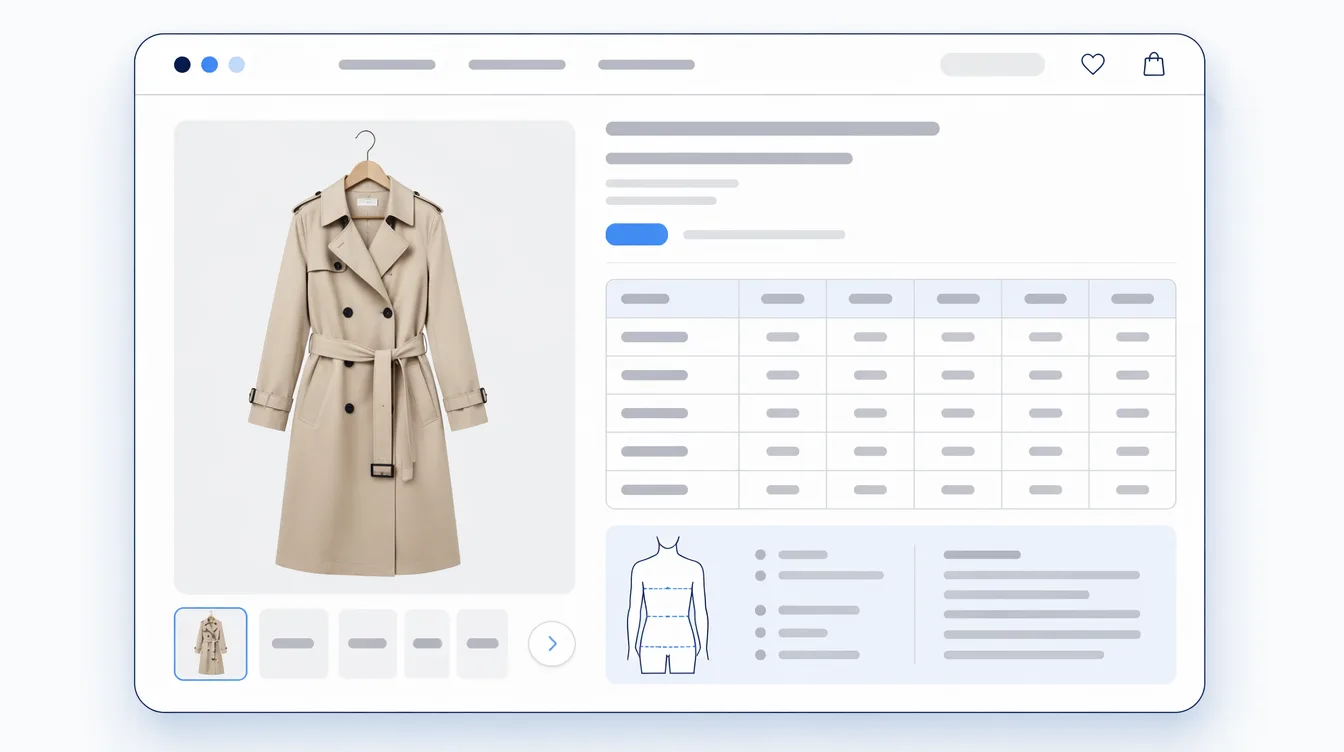
- Real tables beat styled grids. A size chart built as a true HTML
<table>with labeled column and row headers tells a machine "size M, chest, 96–100 cm" as a relationship. The same chart built from styled<div>blocks — or worse, uploaded as an image — is a wall of loose numbers, or nothing at all. - Text beats images of text. Measurements, materials and care instructions exported as a JPEG from a spreadsheet are invisible to most parsers. If the information matters, it should exist as text in the page.
- Server-rendered beats script-injected. Many crawlers and agents do not execute JavaScript, or execute it inconsistently. Content that is present in the first HTML response is readable by all of them; content a script builds after load is readable by some, sometimes.
- One unit of truth beats a display-only toggle. If your chart shows inches to U.S. shoppers and centimeters elsewhere, a machine needs a consistent canonical value somewhere in the page — otherwise the same garment appears to have two sets of measurements.
- Headings are the map. A proper heading hierarchy ("Size chart", "Materials & care", "Q&A") is how a parser knows which block answers which question.
A practical checklist for machine-readable size and fit information

- Put the size chart in a real
<table>with<th>headers for both columns (chest, waist, length) and rows (S, M, L). Test: select the chart in a browser and paste it into a spreadsheet. If rows and columns survive, machines can read it too. - Never ship measurements as an image. If a supplier sends you a chart as a picture, transcribe it once — it pays back on every AI answer, every screen reader, and every translation.
- Keep a canonical unit. Store and embed metric values even if you display imperial, so every consumer of the page reads consistent numbers.
- Check what exists without JavaScript. Open your product page with JavaScript disabled. Whatever disappeared is invisible to a meaningful share of AI crawlers.
- Write FAQs as crawlable text — but skip the FAQ markup chase. Google limited FAQ rich results to well-known government and health sites back in August 2023, so FAQ structured data no longer earns the search decoration it used to. The content, though, matters more than ever: plainly-written questions and answers are among the easiest formats for an AI assistant to quote.
- Keep one Product entity. Your theme already emits Product structured data (price, availability). Be wary of apps that inject a second Product markup block — duplicate entities make your page harder to interpret, not easier.
How Mitasu for Apparel approaches this
We build a product-information block for apparel stores, and machine readability shaped several of its design decisions — including some trade-offs worth being transparent about.
- Size charts render as true HTML tables, with labeled row and column headers, and every measurement carries its canonical centimeter value in the markup alongside whatever unit the shopper is viewing.
- Everything is server-rendered. Tabs and unit toggles are pure CSS, so every section — size chart, materials, care, model info, Q&A, fit votes — exists in the first HTML response. A crawler that runs no JavaScript still sees all of it. The trade-off: the page carries all sections' content even when a shopper never opens a tab, which is why the block is kept deliberately lightweight.
- The size recommender runs entirely in the shopper's browser. That is a privacy decision — measurements never leave the page — and it means an AI agent cannot run the calculator itself. It does not need to: the chart data the calculator reads is embedded in the page for the agent to read directly.
- No second Product markup, by design. The block adds no JSON-LD, because your theme already declares the Product entity and a duplicate would compete with it.
- The data is open. Product information is stored in Shopify's standard storage and readable through Shopify's public storefront APIs — the same surfaces agentic shopping experiences build on — and we publish a machine-readable guide for AI agents working with the data.
How do I check my own store?
Three tests, ten minutes:
- The spreadsheet test: copy your size chart from the product page and paste it into a spreadsheet. Structure survives → machines can read it.
- The no-JavaScript test: disable JavaScript and reload a product page. What vanished is what a large share of crawlers never sees.
- The AI test: paste a product URL into an AI assistant and ask "what sizes does this come in, and what are the measurements?" The answer shows you exactly what a machine extracts from your page today.
If the tests come back thin, the fix is rarely more markup — it is putting the information into the page as honest, structured text in the first place. That is the approach we take with Mitasu for Apparel, and the details above are the same ones running on every store that uses it.
Sources: Adobe Analytics: Traffic to U.S. retail websites from generative AI sources jumps 1,200% (March 2025) · CX Network: Retail traffic from LLMs up 393% year-on-year, reporting Adobe data (April 2026) · Modern Retail: Shopify says purchases are coming "inside ChatGPT" through agentic storefronts (March 2026) · Google Search Central: Changes to HowTo and FAQ rich results (August 2023)