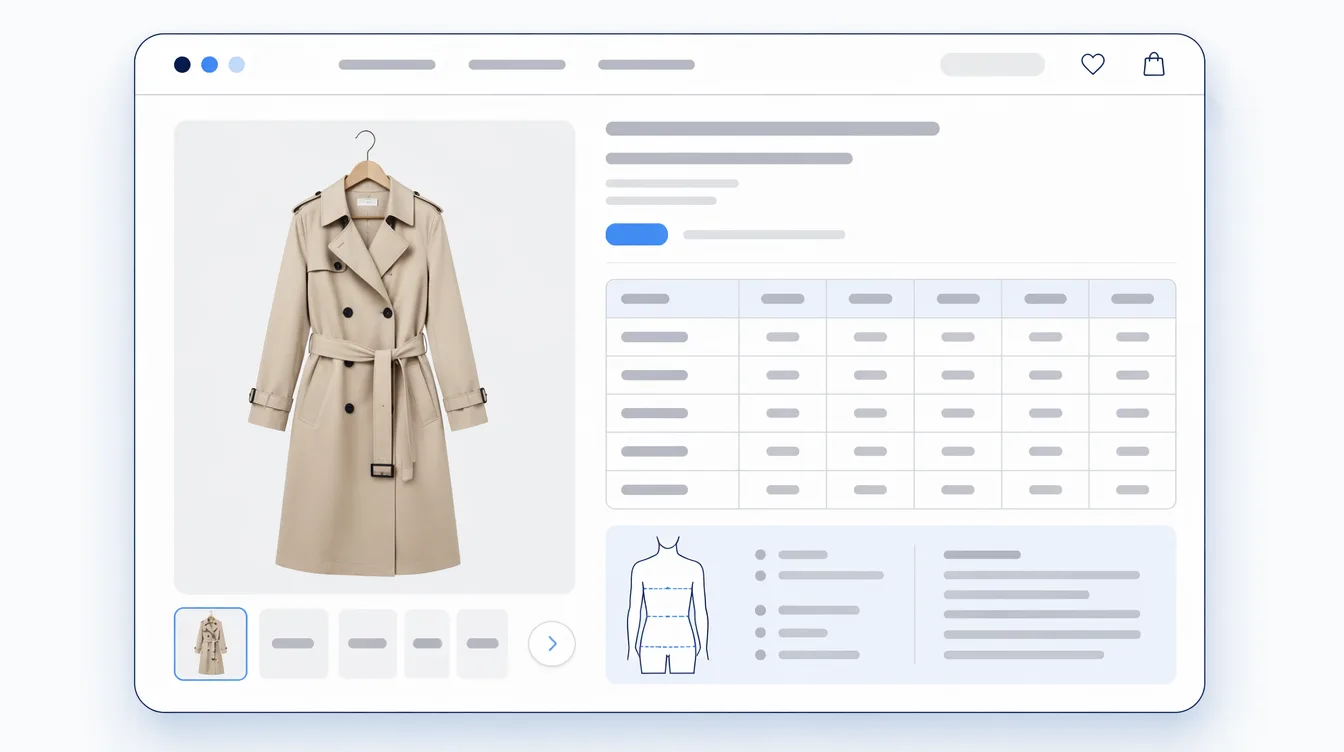

You know some of your product pages are thin. You just don't know which ones. Nobody has time to open three hundred products and read them one at a time, so the gaps sit there — quietly answering "I'm not sure" for shoppers who then close the tab.
The good news is that the gaps are not random, and you do not have to read every page to find them. Baymard Institute's research on product descriptions found that the same three categories go missing again and again: materials and ingredients, dimensions, and compatibility with other products. That is a short enough list to turn into a checklist you can actually run.

What is a product information checklist?
It is a fixed set of questions you ask of every product page, each with a plain pass-or-fail answer. Not "is this page good?" — that question has no answer you can act on — but "can a shopper find the measurements without leaving this page?" That one you can answer in four seconds, and so can somebody you hand the job to.
The checklist matters more than the individual answers. Once the questions are fixed, the audit is repeatable: a new person can run it, you can run it again after a season of new products, and two people running it get the same result.
The five questions to ask of every product page
These come from what research shows shoppers look for, not from a feature list. Baymard's Consideration & Purchase Behavior study of 1,032 respondents found that most users look for return policy information on the product page — 60% of them — which is why the last question is on this list even though it is not about the product at all.
- Size and measurements. Can a shopper find the actual numbers — not just "M" or "large" — without leaving the page? If your category has a standard set of measurements, are all of them filled in, or does one column sit empty?
- What it is made of. Fabric, wood, filling, finish. Baymard found that 50% of users in its desktop study needed ingredient information when shopping for beauty products; the equivalent for apparel and home is the material breakdown.
- How to look after it. Washing, cleaning, oiling. This is printed on a label the shopper cannot read until after they have bought the item, which is exactly why it belongs on the page.
- What it looks like in use. Worn by a person whose height is stated, or standing in a room whose size is stated. A photograph on a white background does not answer "how big is this really?"
- What happens if it's wrong. The return window and who pays for the return, on the product page — not only in the footer.
Five questions, five answers per product. If you want a sixth, add "does anything on this page contradict anything else on it?" — mismatched measurements between the description and the size chart are common and they cost you the sale twice, once in doubt and once in a return.
You do not have to audit everything
This is where most audits die: someone exports all products, looks at the row count, and closes the spreadsheet. Do not start from the catalogue. Start from evidence you already have about which pages are failing.
- Return reasons. Sort by product. A product with three "didn't fit" returns is telling you which question it fails.
- Your support inbox. Search it for "how big", "what size", "is this", "does it". Each repeated question is a page that did not answer it.
- On-site search terms. If shoppers search your store for "dimensions" or "care", they are looking for something your pages are burying.
- Your best sellers. Traffic multiplies the cost of a gap. A missing measurement on a product nobody views costs nothing.
The first pass should be twenty products, not three hundred. Twenty is enough to tell you whether the gap is one category, one supplier, one person's data entry, or genuinely spread across everything — and that answer changes what you do next.

Where the answers should live
Finding the gaps is half the job. The other half is putting the answers somewhere they will not go missing again — and that is not the description field.
Shopify's own guidance is explicit about this: rather than adding product information to the description, you can store each attribute in its own field and display it in its own section of your theme. Shopify calls these metafields and ships standard definitions for common cases including product ingredients and care instructions, so the same attribute means the same thing across your store.
The practical difference shows up on the second edit, not the first. An answer written into a description paragraph is one product's text: it cannot be reused, it cannot be checked for completeness, and the next person to rewrite that paragraph can delete it without noticing. The same answer in its own field can be filled in for fifty products at once, and a blank one is visible as a blank rather than as an absence you have to read the whole page to spot.
Which products to fix first
Work in this order. It is deliberately not "worst pages first", because the worst pages are often the ones nobody visits.
- High traffic and a known return reason. The gap is proven and the audience is large. Start here even if the page is otherwise good.
- High traffic, question repeated in your inbox. Cheaper to fix than a return and you already know the wording to use — reply with your own answer, then paste it onto the page.
- A whole category missing the same field. One decision fixes many products, which makes this the best use of an afternoon.
- Everything else. Fix as products come up for other reasons — a photo refresh, a restock, a price change.
Then put a date in your calendar for three months out and run the same five questions again. An audit you do once is a project; an audit you repeat is a standard.
If keeping those answers in their own fields — and seeing at a glance which products are missing which — is the part you want handled for you, that is what Mitasu for Apparel is built to do.
Sources: Baymard Institute — 10% of E-Commerce Sites Have Product Descriptions That Are Insufficient for Users' Needs; Baymard Institute — Product Page UX Best Practices; Shopify Help Center — Metafields; Shopify Help Center — Adding product care instructions using metafields.