
If you run an apparel store online, returns and exchanges are part of the business.
A customer may find that a size does not fit, the fit feels different from what they expected, or the material looks or feels different in person. There are also returns that have little to do with the product itself, such as a change of mind after placing an order.
That is why it can be useful to think about returns in two parts:
What can you do before the purchase to help customers make an informed decision?
And:
What should happen when a return or exchange is still necessary?
This article looks at both sides from the perspective of a small Shopify apparel store, using Mitasu for Apparel for the pre-purchase experience and Opus Returns & Exchanges for what happens after a return or exchange request is made.

1. Why Do Apparel Returns Happen?

When customers shop for clothing online, they cannot pick up the product or try it on before placing an order.
That leaves them with questions such as:
- Which size is likely to fit me?
- What are the actual garment measurements?
- How long are the sleeves or the body?
- Is the fabric thick or lightweight?
- Is it see-through?
- Is the material stretchy?
- What size is the model wearing?
- How does the garment fit when worn?
If important information is missing from the product page, customers have to make their decision based on limited information.
Of course, adding more product information will not prevent every return. Some things are only clear after trying a garment on, and sometimes a customer simply changes their mind.
The practical approach is therefore to reduce uncertainty where you can before the purchase, while making the returns and exchanges you cannot avoid easier to handle afterward.
2. Before Purchase: Give Shoppers the Information They Need

One way to make online apparel shopping easier is to provide the information customers are most likely to look for before ordering.
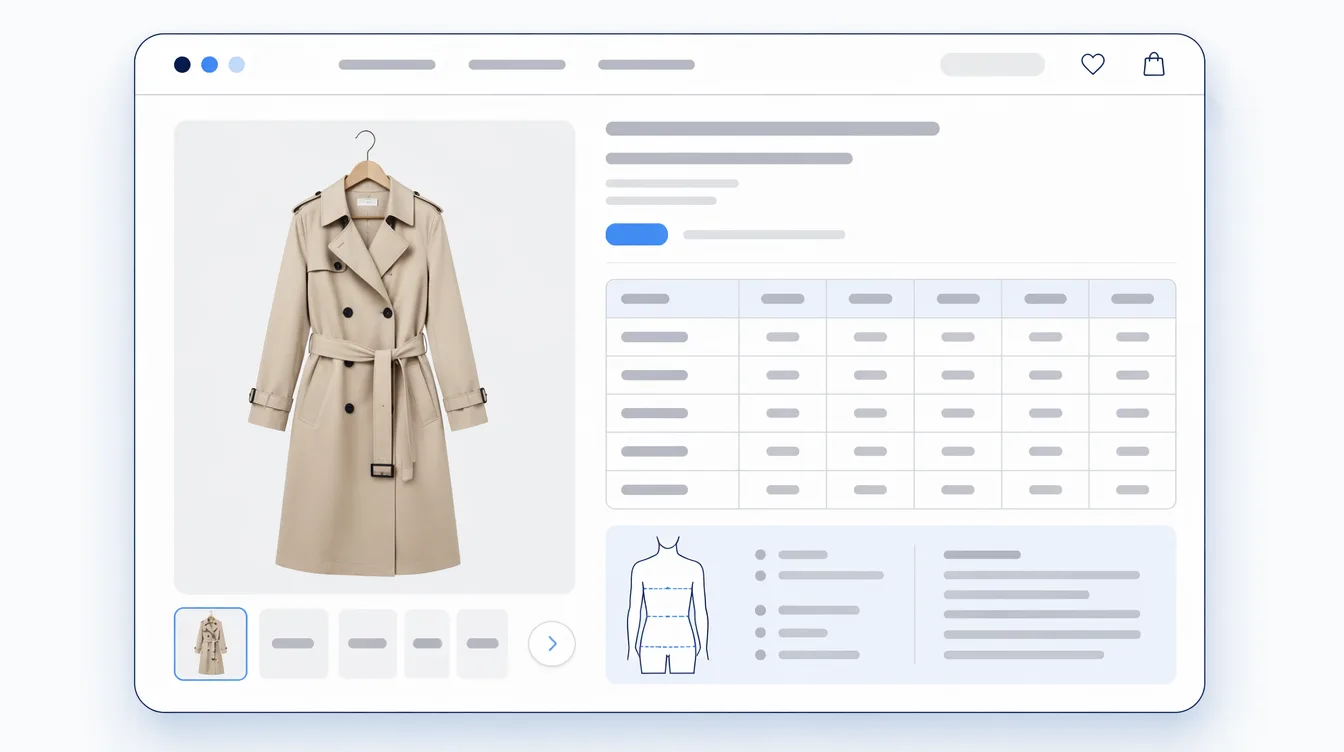
Mitasu for Apparel is a Shopify app designed for apparel stores to organize and display product information such as size charts, measurements, model information, outfit examples, materials and care information, FAQs, and fit-related details.
It can also display Shopify's standard category metafields, allowing merchants to make use of product information they have already entered into Shopify.
For stores with multiple products, information can be assigned to multiple products at once. Merchants can also remove information in bulk or override the settings for individual products when an exception is needed.
For example, a store might assign the same model information to several products and then change the information for one particular product without having to rebuild the whole setup.
This makes it easier to keep product information consistent while still allowing individual products to have their own details.
Mitasu for Apparel is focused on the pre-purchase side of the customer journey.
It does not handle returns or exchanges.
When a return or exchange does happen, a dedicated returns app can be used alongside it.
That is where Opus Returns & Exchanges comes in (Opus website).
3. After Purchase: Make Returns and Exchanges Easier to Handle

Even a well-organized product page cannot eliminate every return.
The next question is what happens when a customer does need to return or exchange an item.
For a small store, handling a few returns by email may seem manageable at first. But each request can involve several steps:
- Finding the customer's order
- Confirming which product is being returned
- Asking why the customer wants to return it
- Checking the store's return policy
- Deciding how the request should be handled
- Explaining the next steps to the customer
As the number of requests grows, these small tasks can take more time than expected.
Opus Returns & Exchanges is a Shopify app designed to make the return and exchange process easier to manage.
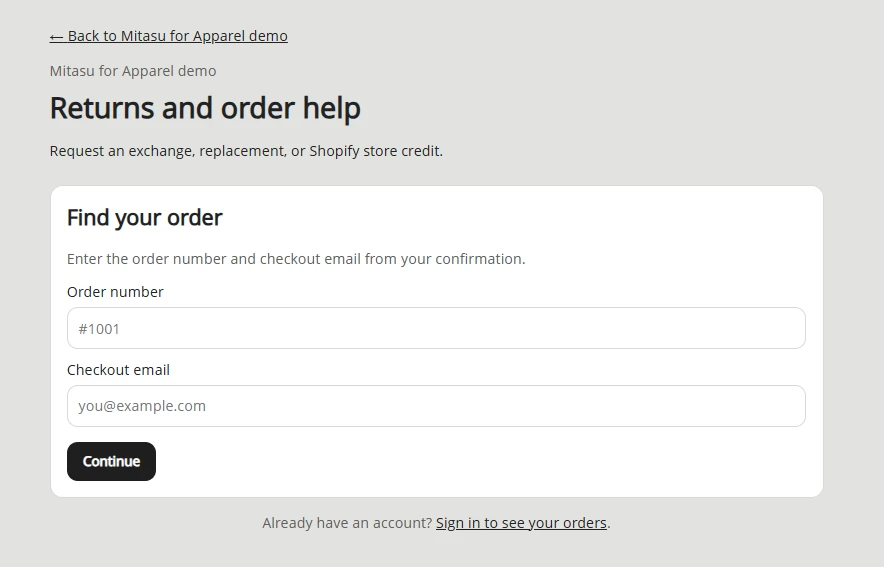
It provides customers with a returns portal where they can start a return or exchange request. On the merchant side, those requests can then be reviewed and managed from a central workflow.
Instead of starting every return conversation from an email, the store has a clear place for customers to submit their requests.
Collecting the Reason for a Return
A return is not only a transaction that needs to be processed. The reason behind it can also provide useful information for running the store.
For example, a merchant may see requests related to:
- The item being too small
- The item being too large
- The fit being different from what the customer expected
- The material or appearance being different from what the customer expected
- Other reasons
Having this information available makes it easier to spot recurring issues.
If a particular product repeatedly comes back because customers find it smaller than expected, the merchant may want to review the size chart or measurement information.
If customers frequently mention the length, adding more detailed measurements or model information may make sense.
If questions about the material keep coming up, the product page could include more detail about the fabric or characteristics such as sheerness.
Keeping the Merchant Workflow in One Place
For a small Shopify store, the goal is not necessarily to build a complicated returns operation.
It may simply be about having a clear process that works when a return comes in.
A customer submits a request. The merchant reviews it. The return or exchange is handled according to the store's process.
Keeping these requests organized in a dedicated workflow can be easier than managing each case through a separate email conversation.
This can be particularly useful for small teams where the same person may be responsible for products, customer support, fulfillment, and other day-to-day tasks.
4. Close the Loop: Use Returns to Improve Product Information

Returns are something most merchants would rather have fewer of.
At the same time, the reasons behind returns can reveal areas where the shopping experience could be clearer.
For example, suppose several customers return the same product because they found the fit smaller than expected.
That does not necessarily mean the product itself is a problem. It may be worth looking at how the size information is presented.
Perhaps the actual garment measurements could be easier to find.
Perhaps the model's height and worn size should be shown.
Perhaps a fit note would help set expectations.
The same applies to materials, transparency, care instructions, and other product details.
This creates a simple feedback loop:
- A return or exchange happens
- The request is handled through Opus Returns & Exchanges
- The merchant reviews the reason
- Recurring issues are identified
- Product information is improved where appropriate
- Mitasu for Apparel can be used to update the product page
There is no need for the two apps to share customer or merchant data for this approach.
The merchant can simply use the information from their returns process as one source of insight when reviewing their product pages.
One return by itself may not tell you much. But if the same reason appears repeatedly, it may be worth taking a closer look.
5. Small-Store Launch Checklist

If you are setting up a returns workflow for a small Shopify apparel store, here is a simple checklist to start with.
Before Purchase
- □ Add a size chart to product pages
- □ Provide actual garment measurements where appropriate
- □ Show the model's height and worn size
- □ Provide material and care information
- □ Include useful details such as sheerness or stretch
- □ Answer common product questions
- □ Keep product information organized as the catalog grows
After Purchase
- □ Make your return and exchange policy easy to find
- □ Give customers a clear way to submit a return or exchange request
- □ Collect the reason for the request
- □ Keep return and exchange requests organized
- □ Decide how refunds and exchanges will be handled
Ongoing Improvements
- □ Review return reasons periodically
- □ Look for recurring patterns
- □ Update product information when there is a clear opportunity to do so
Putting It All Together
Returns are not something an apparel store can always eliminate.
A better approach is to separate the parts of the customer journey that can be improved before the purchase from the processes that need to happen afterward.
Before the purchase, provide shoppers with the information they need to make a decision.
When a return or exchange is necessary, make the request and merchant workflow as straightforward as possible.
Then, when recurring patterns appear, use those observations to improve the information shown on the product page.
Mitasu for Apparel focuses on the first part of that process: organizing and displaying product information such as sizing, fit, materials, model information, outfit examples, and FAQs.
Opus Returns & Exchanges focuses on what happens afterward: receiving and managing return and exchange requests.
They are not trying to solve the same problem.
Mitasu for Apparel helps with the pre-purchase experience.
Opus Returns & Exchanges helps with the post-purchase returns workflow.
For a small Shopify apparel store, using tools according to these different roles can provide a straightforward way to organize both sides of the customer journey.
The goal is not to create a complicated system.
It is simply to make the information customers need easier to find, make returns easier to handle when they happen, and use what you learn from those interactions to keep improving the store.
Note: Opus Returns & Exchanges features are described from its Shopify App Store listing the Opus website, and working through the app directly, as of 1 September 2026. Features and pricing change — check the current listing before relying on them.